Compact USB speakers are a practical choice for desktop setups, laptops, and small portable rigs. Below is a concise guide and comparison of reliable mini speakers that use a USB port for power and/or audio. The table summarizes key models covered in this article for quick reference.
| Model | Brand | Key USB Feature |
|---|---|---|
| USB Computer /Laptop Speaker With Stereo Sound | LIELONGREN | Single USB cable for audio & power |
| SonaVERSE BX Wired Portable Speaker | GOgroove | USB flash drive MP3 input + rechargeable battery |
| Computer Speakers For Desktop Laptop | 1Mii | USB powered PC speakers (USB power + 3.5mm audio) |
| Computer Speaker Mini Soundbar | GOgroove | USB power for plug-and-play setup |
| USB Mini Speaker Computer Speaker | HONKYOB | USB plug-and-play power (no 3.5mm needed) |
[Upgraded] USB Computer /Laptop Speaker With Stereo Sound
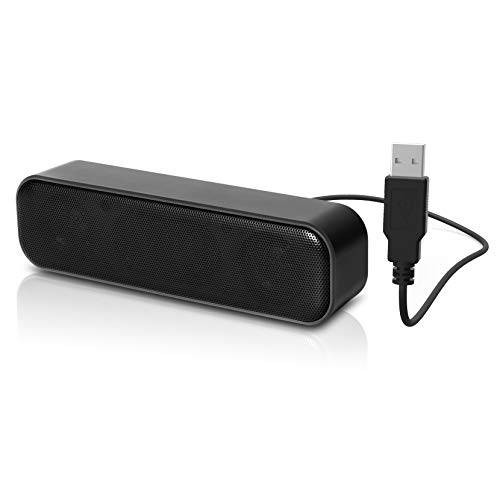
This LIELONGREN USB speaker emphasizes a compact profile with dual 3W high-excursion drivers and a passive radiator to boost bass and overall dynamics. It uses a single USB cable for both audio and power, removing the need for a 3.5mm AUX connection and simplifying cable management.
The speaker has no physical volume knob, so users adjust volume from the computer. Compatibility is focused on Windows PCs (Vista/7/8/10) and common laptop brands. This model targets users seeking a tidy desk solution with improved low-frequency response compared to built-in laptop speakers.
GOgroove SonaVERSE BX Wired Portable Speaker

The SonaVERSE BX combines portability with a USB music player feature: insert a USB flash drive (32GB max) loaded with MP3s and control playback with onboard buttons. Dual 50mm drivers provide distinct mids and highs from a compact cube form factor.
It includes a rechargeable 600mAh battery offering up to about 5 hours of playback and glow LEDs when powered. The unit is ideal for users who want local USB playback without relying on a computer, or who need a small rechargeable speaker that supports USB media files.
1Mii Computer Speakers For Desktop Laptop

1Mii offers a two-piece USB-powered speaker set that pairs dual 3W stereo drivers with a front rotary volume knob for stepless control. The speakers require both the USB cable and a 3.5mm audio cable to operate, with USB providing power and AUX handling audio.
Key points include broad device compatibility across Windows, Linux, macOS, tablets, and phones (check device AUX output). The front rotary volume control is useful for quick adjustments without changing system settings, making this a practical option for desktop and multimedia setups.
GOgroove Computer Speaker Mini Soundbar
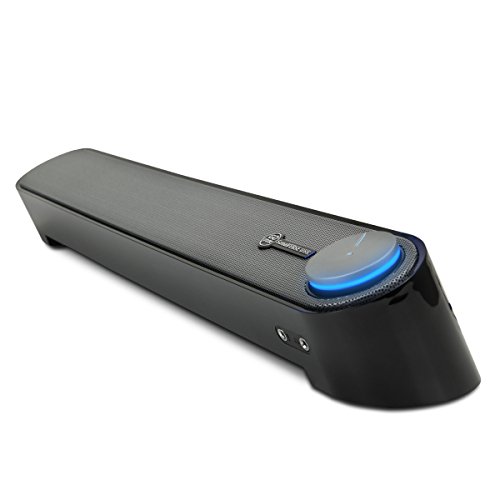
The GOgroove mini soundbar provides a low-profile design intended to sit under a monitor and reduce desk clutter. It uses USB for power and a 3.5mm AUX input for audio, offering simple plug-and-play setup with no software required.
Angled drivers are tuned to project sound toward the listener, delivering improved mids and highs for clearer speech and media playback. The bar includes a volume control knob and an optional microphone pass-through, making it suitable for basic desktop audio enhancement in compact workspaces.
HONKYOB USB Mini Speaker Computer Speaker
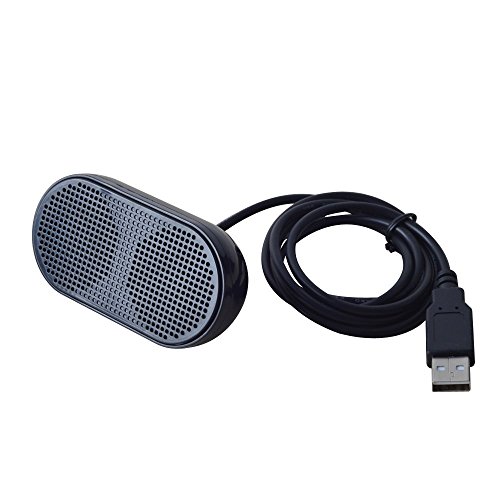
HONKYOB’s mini USB speaker emphasizes ultra-compact dimensions and portability. The USB cable supplies power in a plug-and-play manner (USB 1.1/2.0 compatible), and the paired stereo drivers aim to produce balanced sound from a tiny form factor.
At roughly 3.14 x 1.2 x 1.78 inches and lightweight design, this unit suits travelers and tight-desk setups. The simple USB-only approach removes the need for a separate AUX connection, ideal for devices that can provide audio via USB or for users who just want a quick powered speaker for basic audio output.
Buying Guide
When choosing the best mini speaker with a USB port, consider these key factors to match the speaker to your needs.
USB Functionality
- USB For Power Only: Some speakers use USB solely for power and still require a 3.5mm AUX for audio. This is common in PC speaker sets.
- USB For Audio + Power: Models that accept audio over USB reduce cable clutter and can act as USB audio devices for computers.
- USB Flash Playback: Certain portable speakers include a USB port to read MP3 files directly from a flash drive for standalone playback.
Size, Placement, And Design
- Under-Monitor Soundbar: Low-profile bars save desk space and improve projection toward the listener.
- Cubed Or Portable Speakers: Offer portability and sometimes rechargeable batteries, but may trade off bass depth.
- Portability: Look for weight, included battery, and whether USB provides power or charging capabilities.
Sound Performance
- Driver Size And Type: Larger drivers and passive radiators typically yield fuller bass and greater volume.
- Stereo Imaging: Dual-driver designs provide wider soundstage than single-driver mini units.
- Volume Control: Physical knobs or onboard controls are convenient for desktop use; otherwise system volume is required.
Connectivity & Compatibility
- OS Compatibility: Confirm USB audio compatibility with your operating system (Windows, macOS, Linux).
- AUX Availability: If you need universal device support (phones, older tablets), choose a model with a 3.5mm input.
- USB Standards: USB 2.0 vs USB 3.0 rarely affects audio quality, but check for power needs if using low-power USB ports.
Power & Battery Options
- USB-Powered: Relies on host device or USB adapter for power—no internal battery required.
- Rechargeable Battery: Provides standalone portable use; check stated run time and recharge method.
- Power Draw: Ensure your laptop or USB hub can supply sufficient current if the speaker requires higher power.
Use Case Comparisons
- Desktop Workstation: Prefer a USB-powered soundbar or USB-powered stereo speakers with physical volume control.
- Portable Use: Choose rechargeable speakers that support USB flash playback or Bluetooth plus USB input if needed.
- Minimal Setup: Look for models that combine USB power and USB audio to reduce cable count and simplify connections.
Evaluate each speaker’s features, size, and USB role against your primary use—desktop clarity, portable playback, or standalone USB media—before selecting the best mini USB speaker for your setup.