Finding a reliable external DVD drive that works well with a MacBook or other Apple devices can be challenging. The models below are chosen for compatibility with macOS, simple plug-and-play setup, and solid read/write performance. Each option supports common formats and multiple interfaces to maximize convenience for Mac users who need to watch movies, back up files, or install software from discs.
Summary of chosen products:
| Product | Brand | Interface | Key Benefit |
|---|---|---|---|
| External DVD Drive | Amicool | USB 3.0 / USB-C | Plug & Play with dual connectors |
| ECD829-Y | ROOFULL | USB 3.0 / USB-C | Popular, durable with carrying case |
| Rioddas External CD/DVD Drive | Rioddas | USB 3.0 | Simple, reliable plug & play |
| ROOFULL External CD DVD Drive (Mac Model) | ROOFULL | USB 3.0 / USB-C | Mac-friendly, high compatibility |
| ORIGBELIE External CD DVD Drive | ORIGBELIE | USB 3.0 / Type-C | Slim, versatile portable drive |
Amicool External DVD Drive
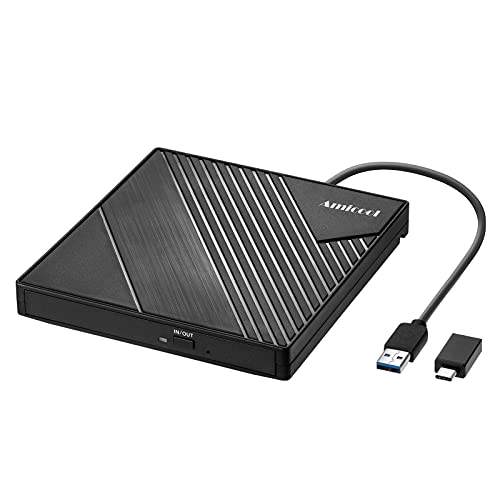
The Amicool external drive offers plug-and-play use with USB 3.0 and USB-C interfaces, enabling quick recognition by most Macs without extra drivers. It supports multiple disc formats, including DVD+R, DVD, DVD-R, and CDs, with up to 8x read speeds for DVDs and 24x for CDs. Dual connectivity provides flexibility for newer MacBooks that favor USB-C. A noted benefit is its broad compatibility across Windows, Mac, and Linux, making it suitable for mixed-device environments. This model is designed for laptops and desktops lacking internal optical drives.
Features in focus: Plug and Play with no driver requirement; fast data transfer up to 5 Gbps via USB 3.0 and USB-C; broad format support and compatibility across major operating systems; designed for portable use with no external power needed.
ROOFULL ECD829-Y External Drive
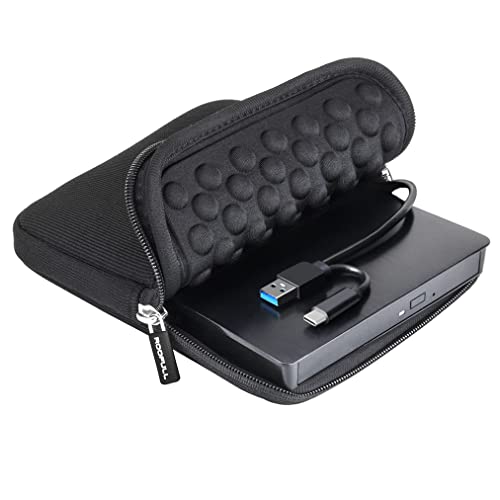
ROOFULL’s ECD829-Y external drive is a time-tested option that emphasizes straightforward use and durability. It supports standard CD/DVD formats and functions as both reader and burner. The device ships with a protective case and uses USB 3.0 for high-speed data transfer, offering speeds up to 5 Gbps with a maximum DVD read rate of 8x and CD read/write rate of 24x. Its dual connectors (USB-A and USB-C) simplify compatibility with a wide range of laptops and desktops, reducing the need for adapters.
Key points: Simple plug-and-play setup; robust performance with strong error correction; broad format support (excluding Blu-ray and 4K); dual connector flexibility to fit Mac and PC setups.
Rioddas External CD/DVD Drive
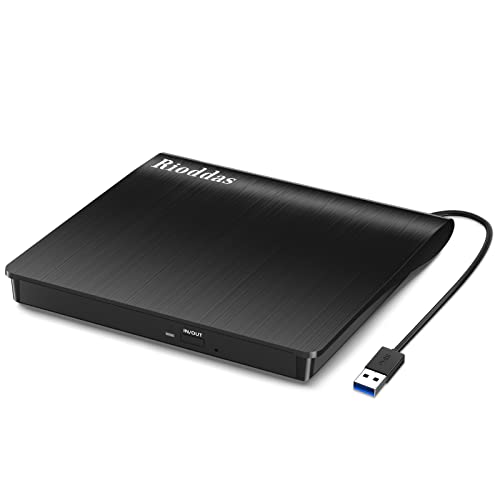
The Rioddas drive emphasizes plug-and-play operation powered by USB, with no external power adapter required. It supports USB 3.0 and is backward compatible with USB 2.0, delivering up to 5 Gbps data transfer speeds. It includes a handy eject button and robust construction to minimize playback interruptions. The drive is designed to work well with a wide range of systems, including Mac, Windows, and Linux, making it a versatile choice forMac users who share a computer with other devices.
Highlights include: Easy USB-powered setup; high-speed data transfer; intelligent design to reduce freezing and errors; physical eject button for safety when a system won’t recognize the drive.
ROOFULL External CD/DVD Drive For Mac (White)

This ROOFULL model targets Mac users seeking a reliable, Mac-friendly external drive. It supports reading, writing, and ripping CDs and DVDs, plus general disk backup, software installation, and media playback. The device is designed for quick recognition by Mac computers (a desktop icon appears after a successful read). It offers high-speed USB 3.0, dual connectors, and broad compatibility with modern MacBook Pro, iMac, and Mac mini configurations, alongside Windows systems. Blu-ray and 4K discs are not supported.
Considerations include: Easy plug-and-play on macOS, reliable read/write speeds with up to 8x DVD and 24x CD performance, dual USB connectors for flexible connections, and general compatibility across multiple operating systems.
ORIGBELIE External CD DVD Drive
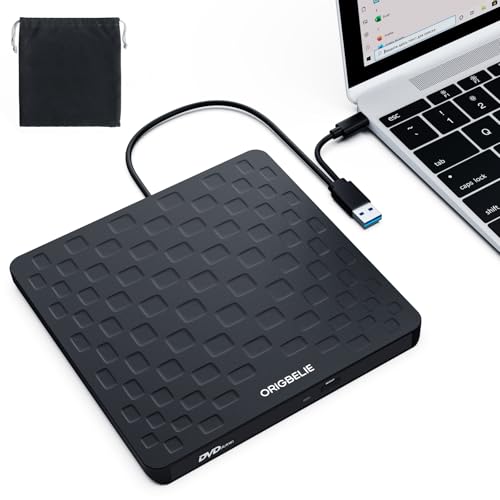
The ORIGBELIE external drive emphasizes USB 3.0 plus USB-C connectivity in a slim 13mm profile. It provides fast data transfer at up to 5 Gbps and supports maximum speeds of 8x for DVDs and 24x for CDs. It works with a wide range of Windows and Mac OS versions and is designed for desktops via powered USB ports to ensure steady performance. Note that certain devices and environments (like tablets, some Chromebooks, and Blu-ray discs) are not supported.
Purchase considerations focus on: USB-C compatibility for newer Macs, compact portability, compatibility range, and the trade-off of not supporting Blu-ray or 4K discs.
Buying Guide
When choosing the best external DVD drive for a MacBook or Mac desktop, consider these factors:
- Compatibility: Ensure macOS support and check whether USB-C or USB-A is required for your Mac model. Dual connectors are helpful for newer and older devices.
- Performance: Look for USB 3.0 or higher for fast read/write speeds (DVD up to 8x, CD up to 24x). Real-world performance can vary with disc quality.
- Power: Some drives are bus-powered via USB, while others may require an external power source. MacBooks with limited power may benefit from bus-powered options.
- Durability and portability: If you travel often, choose a compact model with a protective case or sturdy build.
- Software and usage: Consider whether you need ripping, copying, or software installation. Some drives are bundled with playback or burning software recommendations for macOS.
- Disc formats: Most drives cover CD-ROM, CD-R/RW, DVD-ROM, and DVD±R/RW. Blu-ray and 4K discs are generally not supported by these drives.
- Reliability: Dual-interface drives reduce compatibility issues across different Mac models and USB ports. Read/write speeds can differ between DVDs and CDs.
In choosing among the listed options, Mac users should prioritize plug-and-play compatibility, USB-C support for newer devices, and reliable performance with common discs. For mixed environments (Mac and Windows), models with dual connectors or strong cross-platform documentation often provide the best long-term value.