Finding a reliable external DVD drive for a laptop can restore access to legacy discs, backups, and media. The following five products are strong options, offering USB 3.0 and Type-C compatibility, plug-and-play setup, and broad OS support. All models are designed for laptops or desktops without built‑in optical drives, with varying features to suit different needs—from fast read/write speeds to multi-port hubs.
| Brand | Name | Key Features | Interface | OS Compatibility |
|---|---|---|---|---|
| Amicool | External DVD Drive USB 3.0 USB C | Plug & Play • 5Gbps USB 3.0/Type-C • 8x DVD read | USB 3.0 & Type-C | Windows, macOS, Linux |
| Rioddas | External CD/DVD Drive USB 3.0 | Plug & Play • Backward compatible USB 2.0/3.0 • 5Gbps | USB 3.0 | Windows, macOS, Linux |
| ORIGBELIE | External CD DVD Drive USB 3.0 Type-C | 8x DVD read • 24x CD read • USB-C/USB-A | USB 3.0 | Windows, macOS, Linux |
| JKNJX | External DVD Drive USB 3.0 & Type-C | 8x DVD read • 24x CD read • Error correction | USB 3.0 & Type-C | Windows, macOS, Linux |
| BPAKDU | External CD/DVD Drive with Carrying Case | 8-in-1 hub • 4 USB ports • DF read/write | USB 3.0 | Windows, macOS, Linux |
Amicool External DVD Drive: Fast, Plug‑And‑Play Compatibility
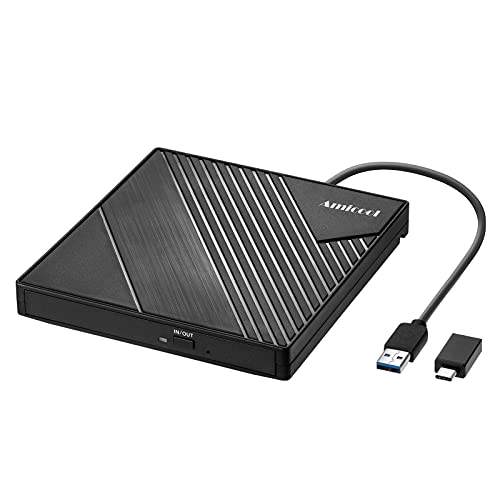
The Amicool model uses dual interfaces—USB 3.0 and Type-C—for fast data transfer up to 5Gbps. It supports multiple formats (DVD+R, DVD, DVD-R, CD-ROM, CD-R, CD-RW) with a maximum read speed of 8x for DVDs and 24x for CDs. It requires no external power or drivers, making it ideal for laptops lacking an internal optical drive. Compatibility spans Windows, macOS, and Linux, while noting it’s best for laptops and desktops rather than TVs or tablets.
Rioddas External CD/DVD Drive: Portable and Ready
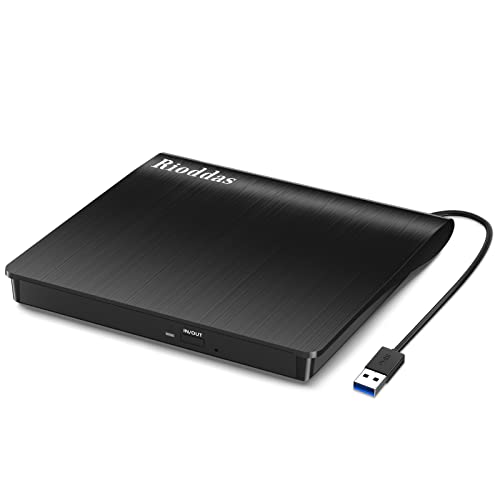
Rioddas emphasizes plug-and-play operation powered by USB, with high-speed data transfer up to 5Gbps via USB 3.0 and backward compatibility to USB 2.0. It includes a handy eject button for discs that won’t be recognized and uses copper mesh tech to stabilize transmission. It’s compatible with Windows, macOS, and Linux, and is compatible with desktop PCs when connected to a high-power USB port on the back of the motherboard.
ORIGBELIE External CD/DVD Drive: Slim and Versatile
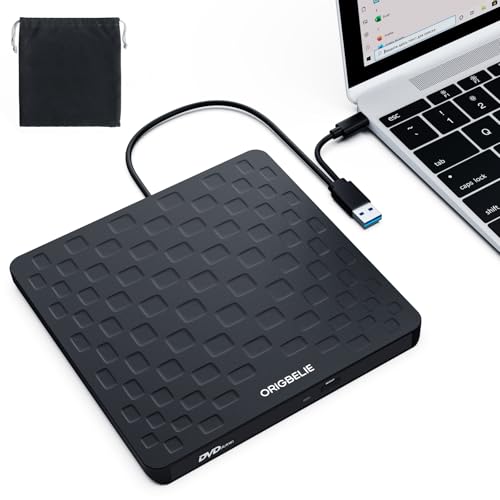
ORIGBELIE offers a slim 13mm profile with USB 3.0 and Type-C compatibility. It delivers up to 8x DVD read and 24x CD read speeds, with data transfer rates up to 5Gbps. It supports Windows, macOS, and Linux, and notes Mac compatibility caveats about icon display until a disc is read. Desktop users should connect to rear USB ports for stable power delivery.
JKNJX External DVD Drive: Broad OS Support

JKNJX combines USB 3.0 and Type-C connectivity with read/write speeds up to 8x for DVDs and 24x for CDs. It emphasizes effortless plug-and-play recognition across Windows, macOS, and Linux, with automatic detection once connected. It is designed for laptops, desktops, and all-in-one PCs, and notes some limitations with ChromeOS and certain multimedia devices.
BPAKDU External CD/DVD Drive: 8‑in‑1 Port Hub

BPAKDU’s 8-in-1 design expands functionality with multiple USB ports and SD/TF card slots while providing reading and burning capabilities. It’s powered by USB 3.0, with plug-and-play setup and broad compatibility across Windows, macOS, and Linux. Desktop users should consider sufficient USB power delivery to avoid recognition issues, and the model includes a carrying case for portability.
Buying Guide: Key Considerations When Choosing an External DVD Drive
- Interface and speed: USB 3.0 or USB-C deliver faster data transfer (up to 5Gbps). Some drives offer dual interfaces for flexibility with newer laptops.
- Read/write performance: Look for stated read/write speeds (DVD up to 8x, CD up to 24x) and ensure the drive supports common formats (DVD±R, CD±R, RW variants).
- Power and compatibility: Many drives are USB-powered (no external power required). Some setups on desktops benefit from rear USB ports for stable power.
- Operating system support: Ensure compatibility with Windows, macOS, and Linux if you use multiple devices or older systems.
- Portability vs. features: Slim, lightweight drives are easy to carry; models with extra ports or a carrying case add value for travelers and students.
- Reliability features: Look for built-in error correction, anti-skid design, and eject mechanisms that work even when the host system has issues recognizing the drive.
- Mac considerations: Some drives may not display icons until a disc is read; be aware of such quirks when using Macs.
- Warranty and support: Check for a reasonable warranty window and accessible customer support in case of setup or compatibility questions.