Digital signage network players power engaging, dynamic displays across retail, hospitality, and corporate environments. The following selection focuses on reliable 4K playback, easy setup, remote management, and CMS compatibility to support unattended operations and flexible content scheduling. The list emphasizes players that offer strong software integrations, scalable deployments, and robust connectivity for both indoor and outdoor signage.
| Product | Brand | Key Strength |
|---|---|---|
| Amazon Signage Stick – Professional Digital Signage 4K Media Player | Amazon | Auto-launch in kiosk mode; CMS compatibility; free mobile app |
| OptiSigns OptiStick Digital Signage Player | OptiSigns | Android-based 4K, wide app ecosystem, centralized management |
| EZ AD TV Digital Signage Player | EZ-AD | Large media library, multiple plans, mobile app |
| LIGHTNING ADS Digital Signage Player for Restaurants | LIGHTNING ADS | Plug-and-play, free upload and scheduling, remote management |
| NovaStar TB20 Plus Multimedia Player | AzarPixel | High-capacity 4K and flexible control for LED displays |
Below are five well-suited options that balance ease of use, performance, and integration capabilities for American businesses seeking reliable digital signage networks.
Amazon Signage Stick: 4K, CMS‑Ready, Easy Setup

The Amazon Signage Stick is designed for unattended operation by auto-launching the CMS in kiosk mode, which helps reduce on-site maintenance. It supports easy setup via a free mobile app and integrates with leading CMS providers, making it suitable for multi-location deployments. The device targets venues that require reliable 24/7 signage with simple onboarding and scalable CMS compatibility. Consider network stability and CMS subscription requirements when planning large rollouts.
OptiSigns OptiStick Digital Signage Player

The OptiStick runs Android-based 4K UHD content via a quad-core processor with WiFi and Ethernet. It emphasizes remote screen management and compatibility with the OptiSigns ecosystem, enabling centralized control from a portal or Admin app. With 160+ integrations, it supports a broad array of apps for content scheduling, video playback, and interactive features, suitable for dynamic menu boards, lobby displays, and retail campaigns.
EZ AD TV Digital Signage Player Kit

EZ AD TV provides 4K content delivery with an extensive template library and cloud-based management. A mobile app accompanies the system, and the free plan supports a wide range of image and video formats with options to publish up to 50 slides. Premium plans unlock additional features, making EZ AD TV a flexible choice for advertisers, event spaces, and corporate lobby displays needing scalable content creation and deployment.
LIGHTNING ADS Digital Signage Player for Restaurants
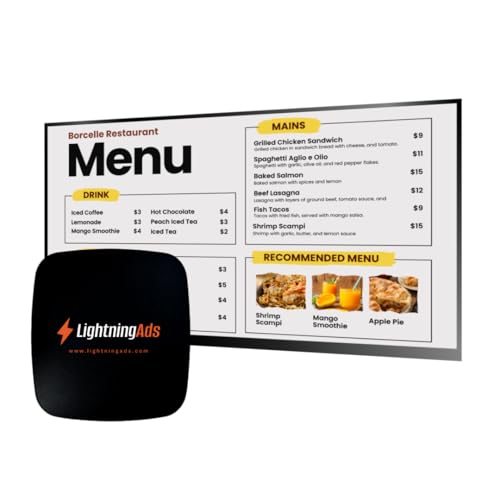
This line emphasizes plug-and-play setup for quick deployments, especially in foodservice environments. It includes free content upload and scheduling, with affordable upgrade plans offering Template Builder and AI Enhancer. The platform supports remote management, enabling operators to update menus, promotions, and events from anywhere, reducing staff workload and ensuring up-to-date displays across locations.
NovaStar TB20 Plus Multimedia Player

The NovaStar TB20 Plus offers advanced multimedia performance with a quad-core ARM A53 processor and 2 GB RAM, supporting 4K playback and flexible input/output options for LED displays and video walls. It features cloud-based content publishing and scheduling, RO-based remote control, and AP/STA connectivity. The TB20 Plus is designed for professional installations requiring robust network reliability, scheduling precision, and compatibility with large LED signage ecosystems.
Buying Guide: Key Purchase Considerations for Digital Signage Players
- CMS compatibility and kiosk mode: Ensure the player supports your preferred CMS and offers kiosk mode for unattended operation, along with a straightforward onboarding flow for multi-site deployments.
- 4K and playback capabilities: Confirm video decoding support (H.265/H.264), resolution limits, and multi-video playback if your content stack includes high-resolution menus, promos, and dynamic graphics.
- Connectivity and remote management: Look for Ethernet/WiFi options, cloud-based scheduling, and a robust management portal or mobile app to control multiple displays from a single dashboard.
- App ecosystem and content formats: A broad app ecosystem reduces integration friction. Verify supported content formats (images, video, HTML, templates) and templates suitable for menus, promos, and announcements.
- Hardware longevity and reliability: Consider processor speed, RAM, storage, thermal design, and warranty. For LED walls or outdoor signage, verify ruggedness and environmental specs.
- Content security and updates: Ensure secure cloud access, firmware update mechanisms, and remote monitoring to minimize downtime and unauthorized content changes.
- Cost structure: Evaluate upfront hardware cost, CMS subscriptions, app-based features, and upgrade paths. Balance initial spend with ongoing maintenance and content efficiency.
- Scalability and deployment speed: For franchises or campuses, prioritize devices with quick provisioning, bulk management, and consistent firmware across locations.
Overall, the best digital signage network player for a business depends on the balance between hardware performance, CMS compatibility, ease of use, and the breadth of content tools. The five options above provide a spectrum from plug-and-play to fully integrated signage ecosystems, enabling resilient, scalable displays across environments.