Finding a reliable external DVD drive remains essential for anyone who still relies on discs for software, movies, or data backups. The following selections showcase versatile, plug-and-play options with USB 3.0 and USB-C compatibility, wide system support, and compact designs ideal for travel. Use this guide to compare models, read features at a glance, and choose the best match for your setup.
| Product | Brand | Key Strength |
|---|---|---|
| Amicool External DVD Drive | Amicool | USB 3.0 & USB-C, fast read/write |
| Rioddas External CD/DVD Drive | Rioddas | Plug & Play, robust fault tolerance |
| Dell USB Slim DVD Drive | Dell | Pre-loaded CyberLink, ultra-slim |
| BPAKDU External CD/DVD Drive | BPAKDU | 8-in-1 features, USB 3.0 |
| ROOFULL External CD/DVD Drive | ROOFULL | Durable case, dual USB-C & USB-A |
Across these options, users value easy setup, broad compatibility with Windows, macOS, and Linux, and the ability to read and write multiple disc formats. The entries below summarize five highly relevant models, with emphasis on portability, reliability, and performance for both work and entertainment scenarios.
Amicool External DVD Drive
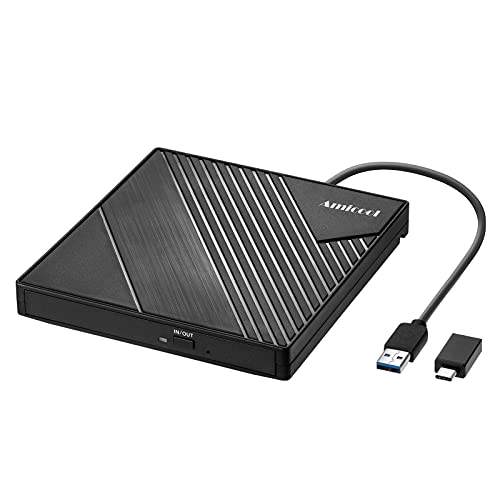
Plug & Play operation means no driver or external power supply is required. The Amicool drive automatically recognizes when connected via USB or Type-C, making setup quick for both laptops and desktops without internal optical drives. It supports a wide range of formats including DVD+R, DVD, DVD-R, CD-ROM, CD-R, and CD-RW, making it a versatile reader/writer for everyday tasks.
With dual interfaces, USB 3.0 and Type-C, you can enjoy data transfer speeds up to 5Gbps. The maximum read speeds are up to 8x for DVDs and 24x for CDs, ensuring smoother playback, copying, and burning. Broad compatibility covers Windows, macOS, and Linux, though it is intended for traditional computers and not for TVs or tablets.
Rioddas External CD/DVD Drive
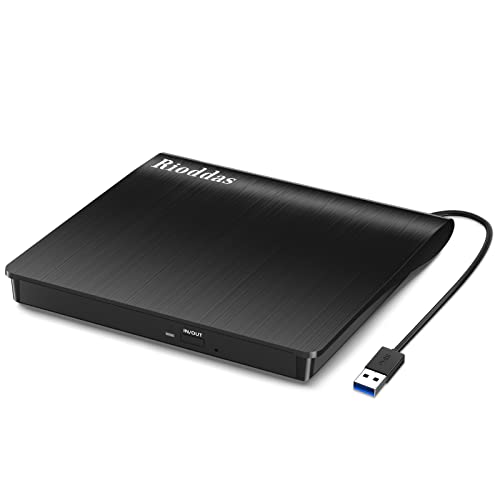
Rioddas emphasizes true plug-and-play use, powered by USB with no external power adapter needed. For desktop reliability, connect to a high-power USB port on the back of the motherboard. The drive supports USB 3.0, backward compatible with USB 2.0, delivering up to 5Gbps. It also features a physical eject button and copper mesh technology for stable data transmission, minimizing playback interruptions.
Dell USB Slim DVD Drive

The Dell external drive is designed for on-the-go use with a slim profile and low power consumption. It is ready to plug into a Ultrabook or notebook and can play or burn DVDs or CDs. Pre-loaded CyberLink Media Suite helps with playback and burning, making it an all-in-one solution for media tasks on the move.
BPAKDU External CD/DVD Drive

BPAKDU delivers an 8-in-1 external optical drive, combining a USB 3.0 hub, USB 2.0 ports, SD/TF card reader, and USB-C port. It is designed for versatile data transfer and media tasks, including reading, writing, and transferring files from camera cards. It emphasizes plug-and-play simplicity with strong error correction for smoother operation, though some power considerations may require a secondary power source on certain laptops.
ROOFULL External CD/DVD Drive
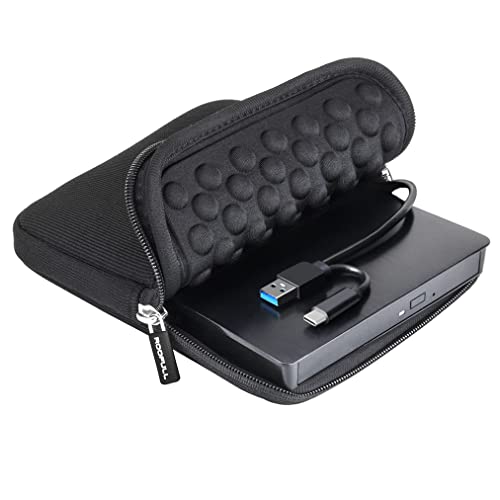
ROOFULL offers a durable external drive with a carrying case, supporting USB 3.0 and USB-C connections. It reads and writes common CD/DVD formats (not Blu-ray or 4K discs) and provides a simple plug-and-play experience. The dual connectors enhance compatibility with both newer USB-C laptops and older USB-A desktops, making it a flexible choice for various setups.
Buying Guide: Key Purchase Considerations
- Connectivity: Look for USB 3.0 or USB-C support for fast data transfers and compatibility with newer laptops. Dual USB-C/USB-A options increase versatility.
- Format Support: Confirm the drive reads and writes common formats (DVD±R, DVD-ROM, CD-R/RW) and supports maximum read/write speeds to fit tasks like software installations and video ripping.
- Power and Setup: Most models are plug-and-play with no extra power adapters, but a few desktop-heavy configurations may require additional power. Check whether the drive is bus-powered or needs a separate supply.
- Compatibility: Ensure broad operating system support (Windows, macOS, Linux) and verify any special notes (e.g., Mac requires disc presence for icon display on some models).
- Portability: If you travel, prioritize slim, lightweight designs with robust cases and minimal cables. Some models include protective cases or integrated cable storage.
- Bonus Features: Some drives bundle software suites for playback or burning, while others emphasize physical features like eject buttons and anti-skip technology.
- Reliability: Look for notable build quality and reviews mentioning stable data transmission, low noise, and minimal read/write errors.
When choosing, compare a few top picks based on your primary use: media playback, disc burning, or archival backups. If you need a device that travels with a laptop, favor slim, bus-powered units with USB-C compatibility. For desktops, consider models that offer robust power handling and practical features like a front-facing eject button. Always confirm compatibility with your operating system and hardware before purchasing.